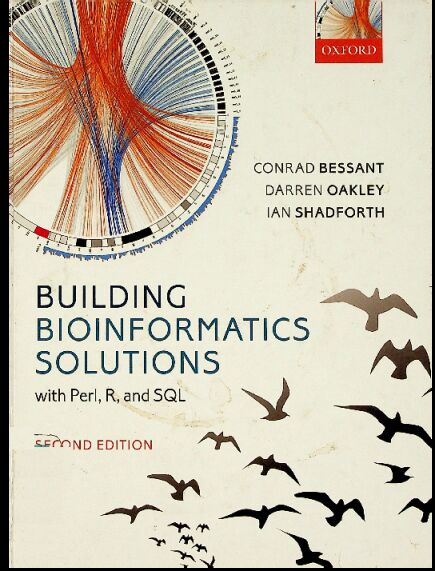
书名:Building bioinformatics solutions
责任者:Conrad Bessant | Darren Oakley | Ian Shadforth. | Shadforth, Ian.
ISBN\ISSN:9780199658558,0199658552,9780199658565,0199658560
出版时间:2014
出版社:Oxford University Press
前言
Bioinformatics encompasses a broad and ever-changing range of activities involved with the management and analysis of data from molecular biology experiments. Despite the diversity of activities and applications, the basic methodology and core tools needed to tackle bioinformatics problems is common to many projects. This unique book provides an invaluable introduction to three of the main tools used in the development of bioinformatics software - Perl, R and MySQL - and explains how these can be used together to tackle the complex data-driven challenges that typify modern biology. These industry standard open source tools form the core of many bioinformatics projects, both in academia and industry. The methodologies introduced are platform independent, and all the examples that feature have been tested on Windows, Linux and Mac OS.
Building Bioinformatics Solutions is suitable for graduate students and researchers in the life sciences who wish to automate analyses or create their own databases and web-based tools. No prior knowledge of software development is assumed. Having worked through the book, the reader should have the necessary core skills to develop computational solutions for their specific research programmes. The book will also help the reader overcome the inertia associated with penetrating this field, and provide them with the confidence and understanding required to go on to develop more advanced bioinformatics skills.
查看更多
目录
1 Introduction 1
1.1 From data to knowledge: the aim of bioinformatics 1
1.2 Using this book 2
1.2.1 About the coverage of this book 2
1.2.2 Choice of tools 3
1.2.3 Choice of operating system 3
1.2.4 www.bixsolutions.net 4
1.3 Principal applications of bioinformatics 4
1.3.1 Sequence analysis51.3.2 Transcriptomics 5
1.3.3 Proteomics 6
1.3.4 Metabolomics 7
1.3.5 Systems biology 7
1.3.6 Literature mining 8
1.3.7 Structural biology 8
1.4 Building bioinformatics solutions 8
1.5 Publicly available bioinformatics resources 10
1.5.1 Publicly available data 10
1.5.2 Publicly available analysis tools 14
1.5.3 Publicly available workflow solutions 15
1.6 Some computing practicalities 16
1.6.1 Hardware requirements 16
1.6.2 The command line 17
1.6.3 Case sensitivity 18
1.6.4 Security, firewalls, and administration rights 18
References 19
2 Building biological databases with SQL 21
2.1 Common database types 22
2.1.1 Flat text files 22
2.1.2 XML 23
2.1.3 Relational databases 26
2.2 Relational database design—the ‘natural’ approach 29
2.2.1 Steps 1–3: gather, group, and name the data 30
2.2.2 Step 4: data types 35
2.2.3 Step 5: atomicity of data 39
2.2.4 Steps 6 and 7: indexing and linking tables 39
2.2.5 Departure from design 45
2.3 Installing and configuring a MySQL server 45
2.3.1 Download and installation 45
2.3.2 Creating a database and a user account 48
2.4 Alternatives to MySQL 49
2.4.1 PostgreSQL 49
2.4.2 Oracle 50
2.4.3 MariaDB 50
2.4.4 Microsoft Access 50
2.4.5 Big Data and NoSQL databases 51
2.5 Database access using SQL 52
2.5.1 Compatibility between RDBMSs 53
2.5.2 Error messages 53
2.5.3 Creating a database 53
2.5.4 Creating tables and enforcing referential integrity 54
2.5.5 Populating the database 57
2.5.6 Removing data and tables from the database 59
2.5.7 Creating and using source files 60
2.5.8 Querying the database 61
2.5.9 Transaction handling 68
2.5.10 Copying, moving, and backing up a database 69
2.6 MySQL Workbench: an alternative to the command line 70
2.7 Summary 72
References 72
3 Beginning programming in Perl 73
3.1 Downloading and installing Perl 74
3.1.1 Older versions of Perl on Mac OS 74
3.1.2 Older versions of Perl on Linux 75
3.1.3 Installing Perl on Windows 75
3.1.4 Compilers and other developer tools 75
3.1.5 Before getting started 76
3.2 Basic Perl syntax and logic 77
3.2.1 Scalar variables 79
3.2.2 Arrays 85
3.2.3 Hashes 89
3.2.4 Control structures and logic operators 91
3.2.5 Writing interactive programs—I/O basics 97
3.2.6 Some good coding practice 101
3.2.7 Summary 103
3.3 References 103
3.3.1 Multidimensional arrays 104
3.3.2 Multidimensional hashes 107
3.3.3 Viewing data structures with Data: : Dumper 110
3.4 Subroutines and modules 112
3.4.1 Making a Perl module 115
3.5 Regular expressions 117
3.5.1 Defining regular expressions 117
3.5.2 More advanced regular expressions 119
3.5.3 Regular expressions in practice 121
3.6 File handling and directory operations 123
3.6.1 Reading text files 124
3.6.2 Writing text files 125
3.6.3 Directory operations 126
3.7 Error handling 127
3.8 Retrieving files from the Internet 129
3.8.1 Utilizing NCBI’s eUtilities 131
3.9 Accessing relational databases using Perl DBI 133
3.9.1 Installing DBD: : MySQL 134
3.9.2 Connecting to a database 135
3.9.3 Querying the database 136
3.9.4 Populating the database 138
3.9.5 Database transactions and error handling 139
3.10 Harnessing existing tools 140
3.10.1 CPAN 141
3.10.2 BioPerl 142
3.10.3 System commands 143
3.11 Object-oriented programming 143
3.11.1 Object-oriented programming in Perl using Moose 145
3.12 Summary 155
References 156
4 Analysis and visualisation of data using R 157
4.1 Introduction to R 158
4.1.1 Downloading and installing R 159
4.1.2 Basic R concepts and syntax 160
4.1.3 Vectors and data frames 162
4.1.4 The nature of experimental data 165
4.1.5 R modes, objects, lists, classes, and methods 169
4.1.6 Importing data into R 173
4.1.7 Data visualization in R 174
4.1.8 Writing programs in R 180
4.1.9 Some essential R functions 185
4.1.10 The RStudio integrated development environment 189
4.2 Multivariate data analysis 191
4.2.1 Exploratory data analysis 191
4.2.2 Scatter plots 191
4.2.3 Principal components analysis 192
4.2.4 Hierarchical cluster analysis 194
4.2.5 Pattern recognition 198
4.3 R packages 198
4.3.1 Installing and using Bioconductor packages 200
4.3.2 The RMySQL package for database connectivity 205
4.3.3 Packages for multivariate classification 207
4.3.4 Writing your own R packages 207
4.4 Integrating Perl and R 208
4.5 Alternatives to R 208
4.5.1 S+ 208
4.5.2 Matlab 209
4.5.3 Octave 210
4.6 Summary 211
References 211
5 Developing web resources 213
5.1 Web servers 213
5.2 Introduction to HTML 213
5.2.1 Creating and editing HTML documents 214
5.2.2 The structure of a web page 214
5.2.3 HTML tags and general formatting 215
5.2.4 An example web page 218
5.2.5 Web standards and browser compatibility 220
5.3 Programming for the web using Perl 220
5.3.1 Mojolicious: : Lite 221
5.3.2 Debugging Mojolicious applications 224
5.3.3 Routes 225
5.3.4 Interfacing with databases within a web application 227
5.3.5 Getting user input via forms 231
5.3.6 Deploying a Mojolicious application 238
5.3.7 Going further with Mojolicious 239
5.4 Advanced web techniques and languages 239
5.4.1 Cascading stylesheets 239
5.4.2 JavaScript, JavaScript libraries, and Ajax 242
5.5 Data Visualization on the web 244
5.5.1 Using R graphics in Perl 244
5.5.2 Plotting graphs with Chart: : Clicker 250
5.5.3 Plotting graphs with SVG: : TT: : Graph 256
5.5.4 Primitive graphics with Perl 263
5.5.5 Drawing graphs and graphics using JavaScript 263
5.6 Summary 264
References 264
6 Software engineering for bioinformatics 265
6.1 Unit testing 266
6.1.1 Unit testing in practice 267
6.2 Version control 272
6.2.1 The basics of version control 272
6.2.2 Centralized versus distributed version control 275
6.2.3 Git 276
6.2.4 Alternatives to Git 286
6.2.5 Hosting and sharing your code on the Internet 287
6.2.6 Running your own code repository 288
6.3 Creating useful documentation 288
6.3.1 Documenting command-line applications 289
6.3.2 Documenting Perl code 290
6.4 User-centred software design 293
6.5 Alternatives to Perl 294
6.5.1 Python 294
6.5.2 Ruby 305
6.5.3 Java 318
6.5.4 Using Galaxy 326
6.6 Summary 327
References 327
Appendix A: Using command-line interfaces 329
A.1 Getting to the operating system command line 329
A.2 General command-line concepts 331
A.3 Command-line tips 333
Appendix B: Getting started with Apache HTTP Server 335
B.1 Installing Apache 336
B.2 Apache fundamentals 337
Appendix C: Setting up a Linux virtual machine in Windows 341
C.1 Installing VirtualBox and configuring a virtual machine 341
C.2 Using the VM 344
C.3 Other uses of virtual machines 345
Index 347
查看更多
馆藏单位
中科院文献情报中心